Part 3 of 3. Part 1 covered the thirteen years of failing, and Part 2 covered the day the AI found what I’d missed. This one is about everything that happened after the engine worked.
Choosing the next tool
Once the engine worked, things got easy. I built a first version of a REST API, and I stayed in the chat window for that too. Then I wanted a mobile app that bundled the engine and the supporting data. I designed it in chat, and that session ended with mockups of six screens and scaffolded .NET MAUI source code.
I asked the AI whether I should switch to a design tool. It said to stay in chat. Later, it told me the moment had come: open a new session with a coding agent and upload the scaffold.
I never had to know which tool came next. I asked.
Two loops
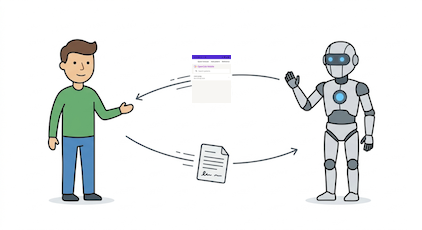
I was amazed that the coding agent’s sandbox had everything it needed to build a cross-platform mobile app. No more download, build, run. No more wondering whether I had the right Android environment.
I did most of that session on an iPad, and not the latest and greatest one, a bare-bones iPad A16. The app it was building can’t run on an iPad. It runs on Android and Windows. I skipped iOS entirely, because there was no practical way to sideload. The agent added a build action to the repo, it made changes, I installed the app on my Android phone right away and played with it, and I told it what to change next.
In the first loop, I was the build server. In the second, I’d gone from software engineer to product designer.
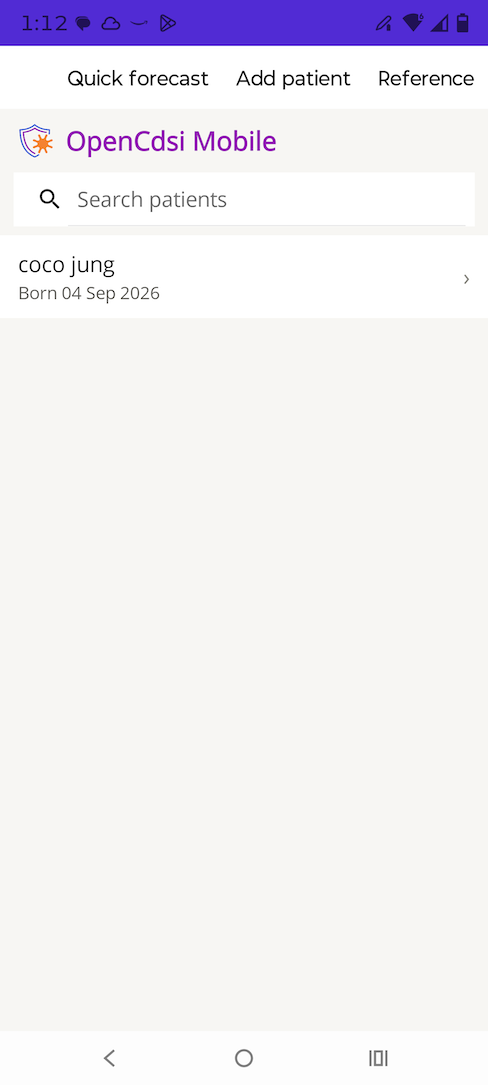
I built a Windows version too, for Jeffrey, who is stuck in the Apple ecosystem and can at least run it in a VM.
The install-and-use loop paid off almost immediately. The app locked up on launch. I couldn’t have told you why. I found the symptom by using it, and the agent audited the code and found the cause: a blocking synchronous call. My job was the symptom. Its job was the diagnosis.
Lesson 8: Build something you can hold. Prototype early, install it, and play with it.
Featureitis
Here’s the catch with an agent that can build anything: it can build everything you think of, and my ideas kept getting bigger.
At the start of that session, the AI asked about scope. I gave what I thought were reasonable answers: synchronizing patient data, downloading new CDC supporting data, multiple clinicians. As I used the app, I realized that what I really wanted was a minimum viable product. All of that turned into clutter, and we dropped it.
Even the quick forecast took a few rounds. I wanted something dead simple: a birth date, maybe some immunization history, show me the result. The AI kept making it more complicated, and I kept cutting. I threw out the temporary-patient flag. But the AI gave me one idea I hadn’t thought of: take that quick forecast, and if the clinician wants to keep it, offer a button, save as new patient.
It wasn’t a question of trusting the agent or not. It was sorting its ideas into bloat and the one good one. The agent adds. The developer decides.
Lesson 9: Your first scope is a hypothesis. Build something you can hold and let it correct you.
A technique I use more and more: before you implement anything, tell me what you think about this idea I just had. Then, because these models can be agreeable, add: and what are the tradeoffs?
Lesson 10: Ask what it thinks, and what the tradeoffs are, before it implements anything.
One job at a time
By this point I’d started using separate sessions for separate jobs. When I realized I wanted Pink Book guidance in the app, something a clinician can read to explain a forecast, that became its own session: parse the Pink Book and bundle the data into a .NET library. Reorganizing the whole OpenCdsi codebase into a monorepo was another session.
I also kept asking, regularly: audit the codebase for maintainability. It pruned code, updated the README, and simplified call chains, all for the human who has to read the code later. That’s the real fear, right? What happens when the AI wrote all of it and I have to live with it? Ask it to clean up after itself.
Lesson 11: One session, one job.
Lesson 12: Ask it to audit for maintainability. Clean up for the human who has to read it.
The checklist
Here are all twelve lessons, in four groups. Bookmark this.
Know your stuff
- 1. Your struggle is your judgment.
- 4. Ground it in real source material.
Check the work
- 3. Ask for a second reader.
- 6. Find an independent judge.
- 7. Failing tests tell you where to look, not who’s wrong.
- 12. Ask it to audit for maintainability.
Steer
- 5. You say what, it says how.
- 9. Your first scope is a hypothesis.
- 10. Ask what it thinks, and what the tradeoffs are.
Start small
- 2. Start with what you have.
- 8. Build something you can hold.
- 11. One session, one job.
What it was for
I used AI to build a vaccine forecasting engine, a mobile app, an API, .NET libraries, a build and release pipeline, and a new look for this website. The site has been up for four years. The AI prototyped the page with the colorful hero, and I brought the pieces into the Jekyll site myself.
And while I was preparing to write this series, I realized something. After thirteen years, we finally have a true manifestation of the Worldvax vision: an engine and an app that put good vaccine guidance in a clinician’s hands, with no connection required.
That “we” is Jeffrey. He was the energy behind Worldvax, the reason I started, and the reason I kept coming back for thirteen years. He was the first person I showed the app to, and he was so excited he wanted to be part of it. Jeffrey, this is the thing we imagined.
Those thirteen years weren’t wasted. They’re the reason I could tell malarkey from meaty, and the reason I knew what to ask for.
After thirteen years of fail, I built the thing I’d imagined in a week. But I didn’t stop with the engine. I used my new superpower to realize a vision.
Whatever you’ve been stuck on isn’t an obstacle. It’s a radioactive spider bite.
A note on how this was written: I'm usually not this eloquent. I dictated these stories out loud, and an AI helped me shape them into posts, the same way AI helped me build the engine. The stories, the numbers, and the mistakes are mine.
October 19, 2026